🌌 Astrophotography on a Budget: How I Captured a Comet With Simple Camera Gear
Astrophotography often looks like a hobby reserved for those with giant telescopes, expensive mounts, and highly specialized camera gear. But what if you could photograph a comet — and create beautiful night-sky images — using nothing more than a basic hobbyist setup?
In this article, I’ll show you exactly how I did it. No telescope. No star tracker. Just an everyday 18–200mm lens, a tripod, Lightroom, Photoshop, and a little creativity.
Whether you’re a beginner photographer or a seasoned landscape shooter looking to expand into night photography, this guide will give you practical, real-world techniques you can use tonight.
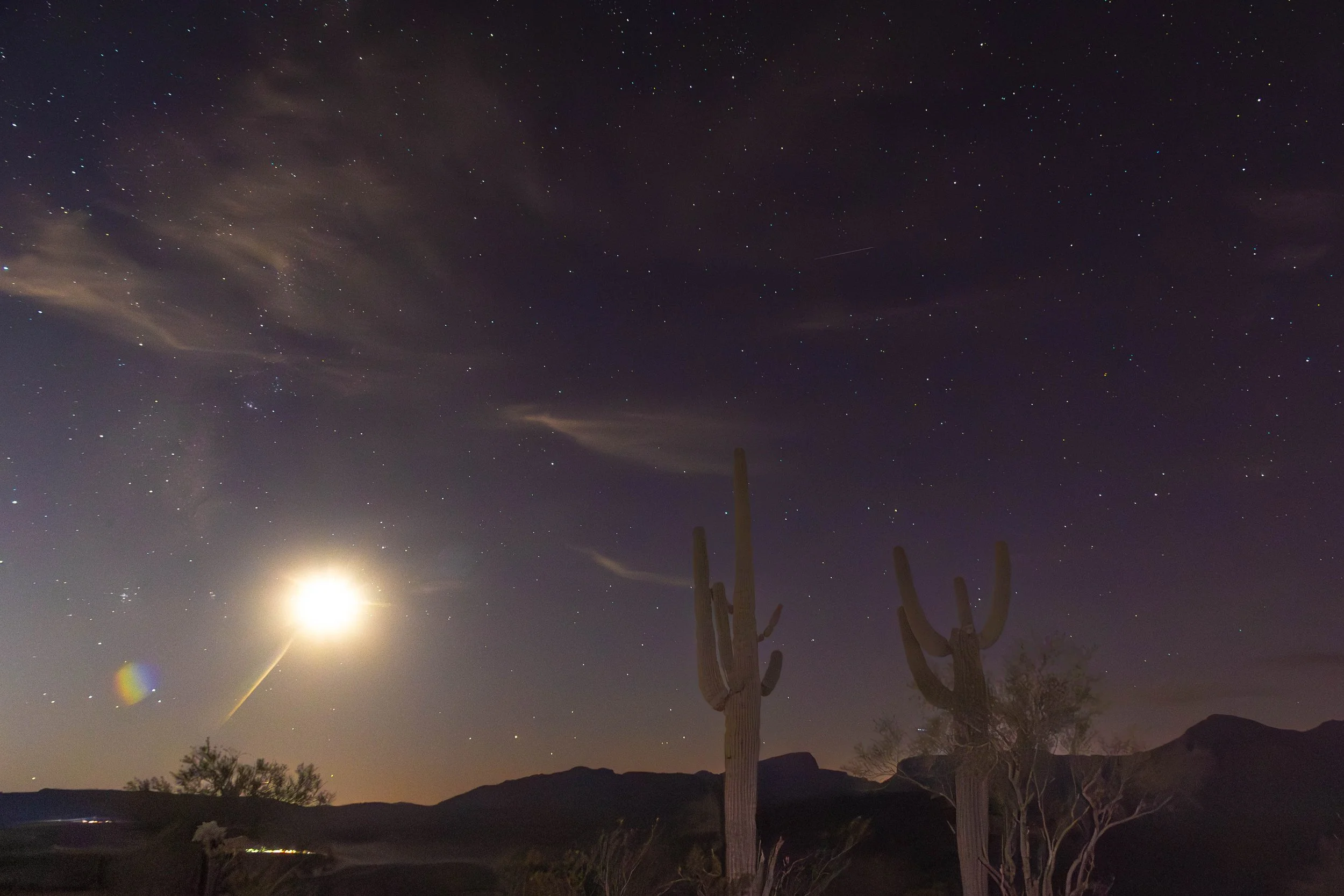
A long-exposure night-sky photograph captured in the Arizona desert featuring towering saguaro cacti silhouetted against a star-filled sky. Soft clouds drift across the scene while the rising moon creates a bright glow near the horizon. Subtle airglow adds hints of color across the sky, enhancing the desert landscape and the stillness of the night. A perfect example of accessible astrophotography using basic camera gear.
⭐ Getting Started: A Simple Camera Setup
When the comet appeared above the Phoenix area, the plan was spontaneous. My buddy Tony packed up his advanced astrophotography rig — telescope, tracker, and precision optics. I grabbed:
A standard 18–200 mm lens
A basic tripod
A mirrorless camera
Lightroom & Photoshop
This truly was astrophotography for the rest of us.
🔍 Locating the Comet: Using High ISO to Your Advantage
To find the comet quickly, I cranked my ISO up to 25,600 and used a 2.5-second exposure.
Yes, it's incredibly noisy.
But that’s the point.
A high-ISO test shot helps you locate celestial subjects fast — then you can perfect your composition before dialing in cleaner settings.
Once I confirmed the comet was in the frame, I began refining the shot.
🖥️ Cleaning Up the Noise With Lightroom AI Denoise
Lightroom's AI Denoise tool is a game-changer for budget astrophotography.
A quick zoom to 800% showed heavy grain, but AI Denoise dramatically cleaned it up. At 100%, the difference was huge.
After that, I manually adjusted:
Luminance noise reduction
Contrast
Vibrance
The key is to smooth the sky without making it look plastic or soft.
Many photographers are turned away from Astophotography for many reasons. Maybe they are not in a dark sky location, it may be the late nights. Most often, it is the cost. I my latest YouTube episode (https://youtu.be/SsGAMrGvfE4) I showed everyone that you can make great Astro photos with some very humble gear,
Let me give you a few tips to help you out.
Locate a dark sky location. You want to be as far away from city lights as possible. The higher in the sky your subject is, the less city light affect it.
Set your White Balance to 3900K if you want airglow. Airglow will add greens and blues to your sky. It is caused by oxygen, nitrogen, and sodium in the upper atmosphere absorbing energy from the sun during the day and releasing it at night.
Set the camera timer. By delaying the shutter firing for a few seconds will greatly reduce camera movement. Yes, you need to do this even on a tripod.
Do not be afraid of using a high ISO. Yes, the photo will be grainy, but AI Denoise followed by some manual denoise in Photoshop will help to clean up the grain.
In your camera view finder or screen, go to 100% magnification to help you focus. Use manual focus and find a bright star. Turn that focus ring until the star is as small as possible. If you change the focal length, you will have to refocus the camera.
Turn of lens stabilization. On a tripod, it will actually add vibrations causing blurry images.
Astrophotography can be enjoyed by anybody. Here are some bonus tips.
Dress for the weather. It can get cold at night.
Bring a comfortable chair.
Hot chocolate can do wonders.