
Turn Your Night Cityscape into a TRON-Style World
For the video on how to create the TRON-like city, go to YouTube/@JasonYoder and look for my November 20, 2025 episode.
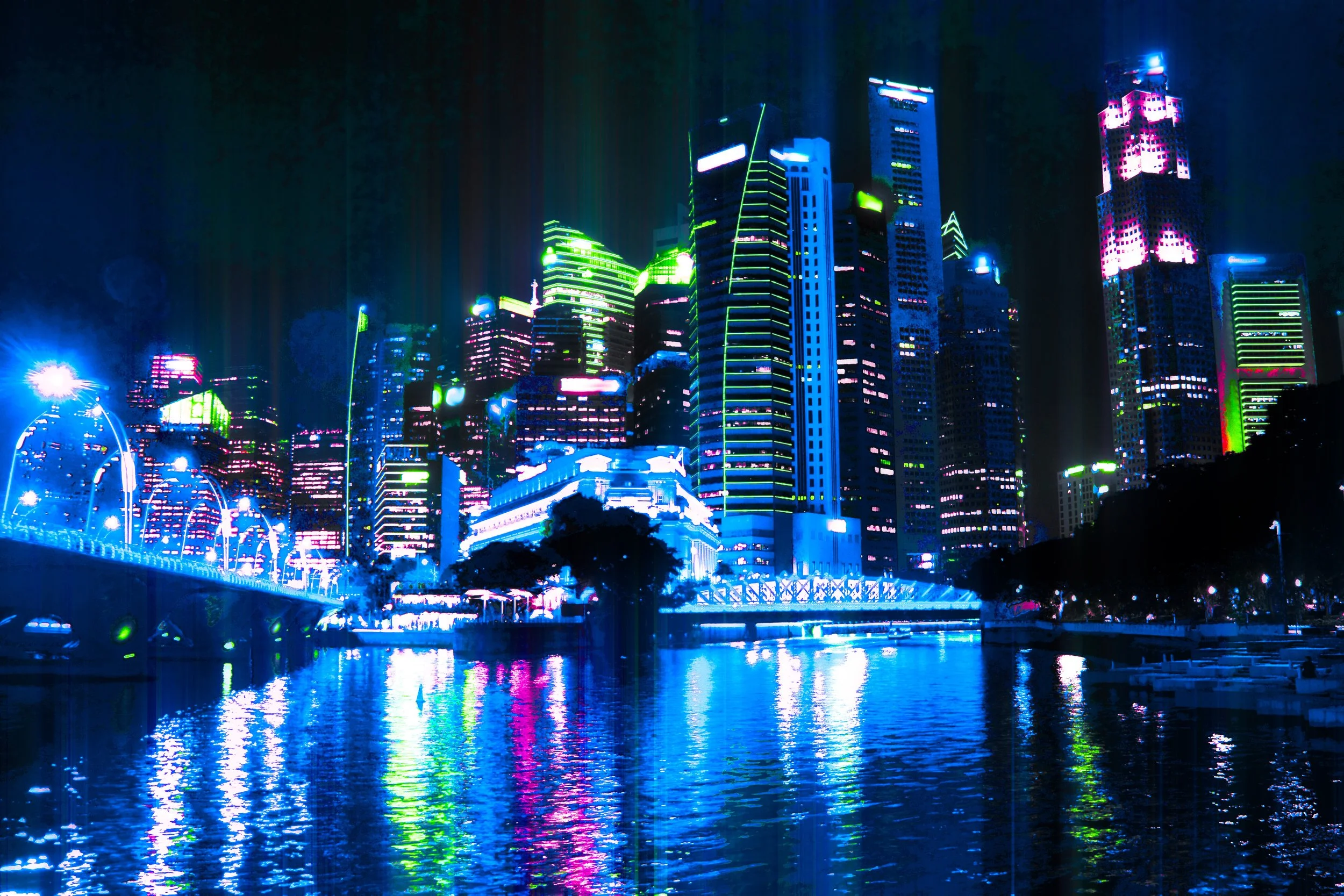
If you grew up on sci-fi, TRON (1982) probably lives rent-free in your head. The original film didn’t just imagine a digital universe—it designed one. Using backlit animation and early CG, it built a world of monolithic, geometric structures etched with glowing circuit-line accents. Think stark blocks and planes, hard angles, and vast “void” backgrounds where electric blues and oranges slice through deep black. The palette was limited but punchy; the lighting was graphic, not realistic. That’s the essence we’re borrowing for a TRON-like cityscape edit.
What Defined the Original TRON Look
Backlit glow: Lines of light tracing edges and seams—bright against near-black surroundings.
Graphic geometry: Boxy, rectilinear forms; architecture that reads like chip layouts.
High contrast: Rich blacks, minimal midtones, and luminous highlights.
Restricted neon palette: Electric cyan/blue and amber/orange dominate, with subtle magenta accents.
Negative space: Darkness as a design element—letting light “draw” the scene.
The Right Photo for a TRON Transformation
This effect works best when your base image already echoes that graphic, high-contrast vibe. Look for:
1) A forest of tall buildings
Skylines or dense downtown cores with clean verticals and plenty of repeating windows. The more architectural grid and strong edges, the better—those become your “circuit paths.”
2) An abundance of point lights
You want lots of light sources: office windows, façade strips, bridge lights, street lamps, traffic, billboards. These become the neon “signal” you’ll enhance, extend, and color-shift.
3) A very dark sky (not blue hour)
TRON thrives on black. Shoot well after blue hour when the sky is truly dark so your glow has maximum contrast. If your sky is still navy, you’ll end up fighting midtones instead of celebrating highlights.
4) Clean sightlines and strong silhouettes
Busy trees, scaffolding, or messy foreground clutter kills the graphic read. Prioritize bold shapes and clear edges that will hold glow and color.
5) Optional: reflective foreground
Water, wet pavement, or glossy surfaces are a bonus. They mirror your neon work and double the drama.
A Quick Capture Checklist
Tripod + long exposure: 2–15 seconds to pack in window light and car trails while keeping ISO low.
Underexpose a touch: Protect highlights so you can push glow later without clipping.
Lens choice: 24–70mm (or 35/50mm prime) to keep verticals disciplined; avoid ultra-wide distortion unless you plan to correct it.
Shoot RAW: You’ll be leaning on selective HSL, curves, and color grading—give yourself latitude.
Multiple frames: If wind or traffic patterns vary, shoot a small stack. You can choose the most graphic frame.
Why This Image Profile Works in Post
When you sit down in Photoshop (or your editor of choice), the TRON aesthetic is essentially edge-aware glow + limited neon palette + vertical geometry. A photo with lots of small bright sources against deep blacks lets you:
Amplify and extend light (e.g., with directional blur or vertical “beam” treatments) without lifting the whole scene.
Color-isolate highlights into cyan/blue and orange, while keeping midtones quiet.
Mask cleanly along building edges and window grids—because the structure is already graphic.
Use black as a canvas, not a problem to “fix.”
What to Avoid
Flat, milky skies (haze, light pollution, or early blue hour) that fill your blacks with gray.
Sparse lighting (quiet skylines) where there’s nothing to “glow up.”
Heavy foreground clutter (trees, power lines) that breaks the geometric read.
Mixed, muddy colors (strong greens/sodium casts everywhere) that fight your cyan/amber palette.
Bonus: Composition Tweaks Before You Shoot
Symmetry sells the grid. Center up on corridors, bridges, or balanced towers.
Guard your verticals. Keep the camera level or correct keystoning later so lines stay “circuit-board clean.”
Fill the frame. Let buildings dominate; leave just enough sky to register as pure black.
Bottom line: Start with a dense, well-lit skyline, tall structures, and a true black sky. That kind of file takes to neon glows, vertical light shafts, and TRON-style palettes beautifully—so your edit isn’t fighting the image; it’s unlocking what was already there. If you want to see the full workflow, check out the episode—I walk through turning a real city into a stylized, TRON-inspired world step by step.